theQuickAssist.cotheQuickAssist.co

Introduction

  • Overview
  • Quickstart Guides

Core Features

  • WhatsApp Automation
  • AI Chatbot
  • CRM Integration
  • Appointment Booking

Getting Started

  • Get Your API Key

API Reference

  • Webhooks
  • End Points

Create intelligent AI assistants for your website in minutes without coding.

TheQuickAssist is a product of Prominno Labs Pvt. Ltd.

Solutions

  • Real Estate
  • Healthcare
  • Education
  • E-Commerce
  • IT Companies
  • Marketing Agencies
  • Hotels & Restaurants
  • Travel Agencies
  • Salons & Spas
  • Banking & Fintech

Free Tools

  • All Free Tools
  • WhatsApp Chat Button
  • WhatsApp QR Code Generator
  • Free WhatsApp Link Generator

Quick Links

  • AI Chatbot
  • Pricing
  • Blogs
  • Contact Us
  • Documentation

Company

  • Affiliate Program
  • Cancellation & Refunds
  • Shipping
Trustpilot
InstagramFacebookTwitter
theQuickAssist.co

© 2026 TheQuickAssist.co. All rights reserved.

Privacy PolicyTerms of ServiceCookie Policy
Documentation/API Key

Get Your API Key

Your API key is required to authenticate requests to TheQuickAssist API. Keep it secure and never share it publicly.

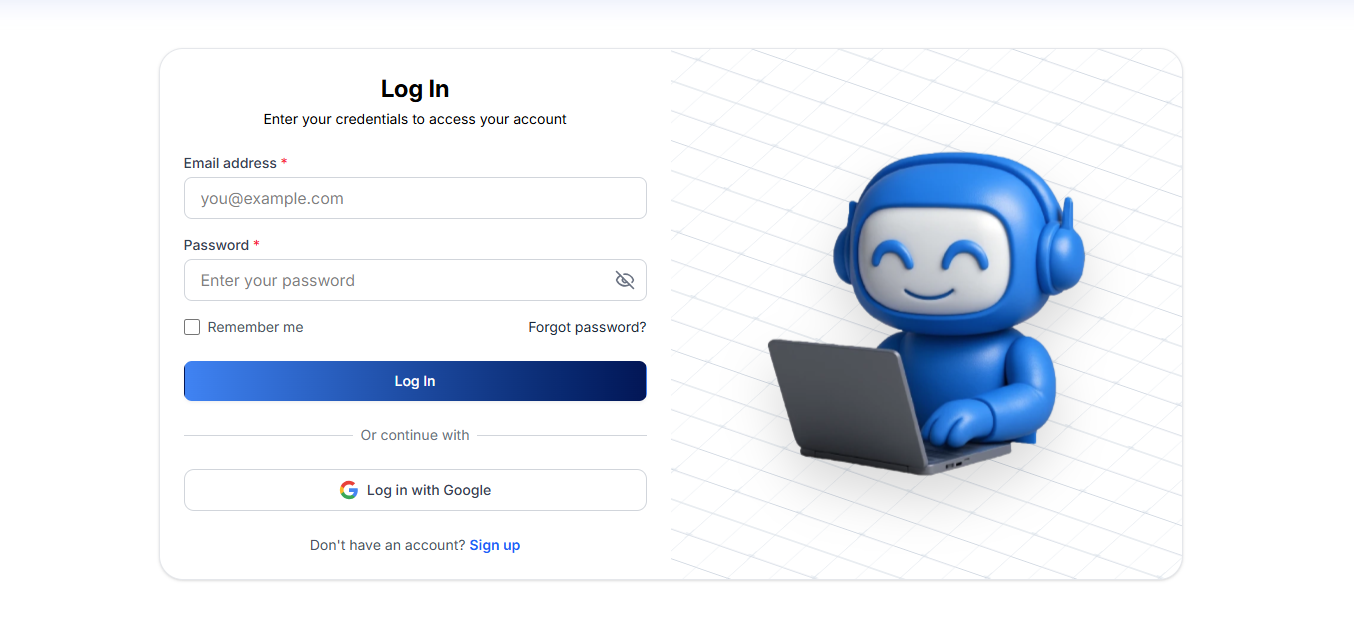
1. Log in to Dashboard

Go to your TheQuickAssist dashboard and sign in with your credentials.

TheQuickAssist Login Screen

2. Navigate to API Integration

Once logged in, navigate to the API Integration tab in your dashboard sidebar.
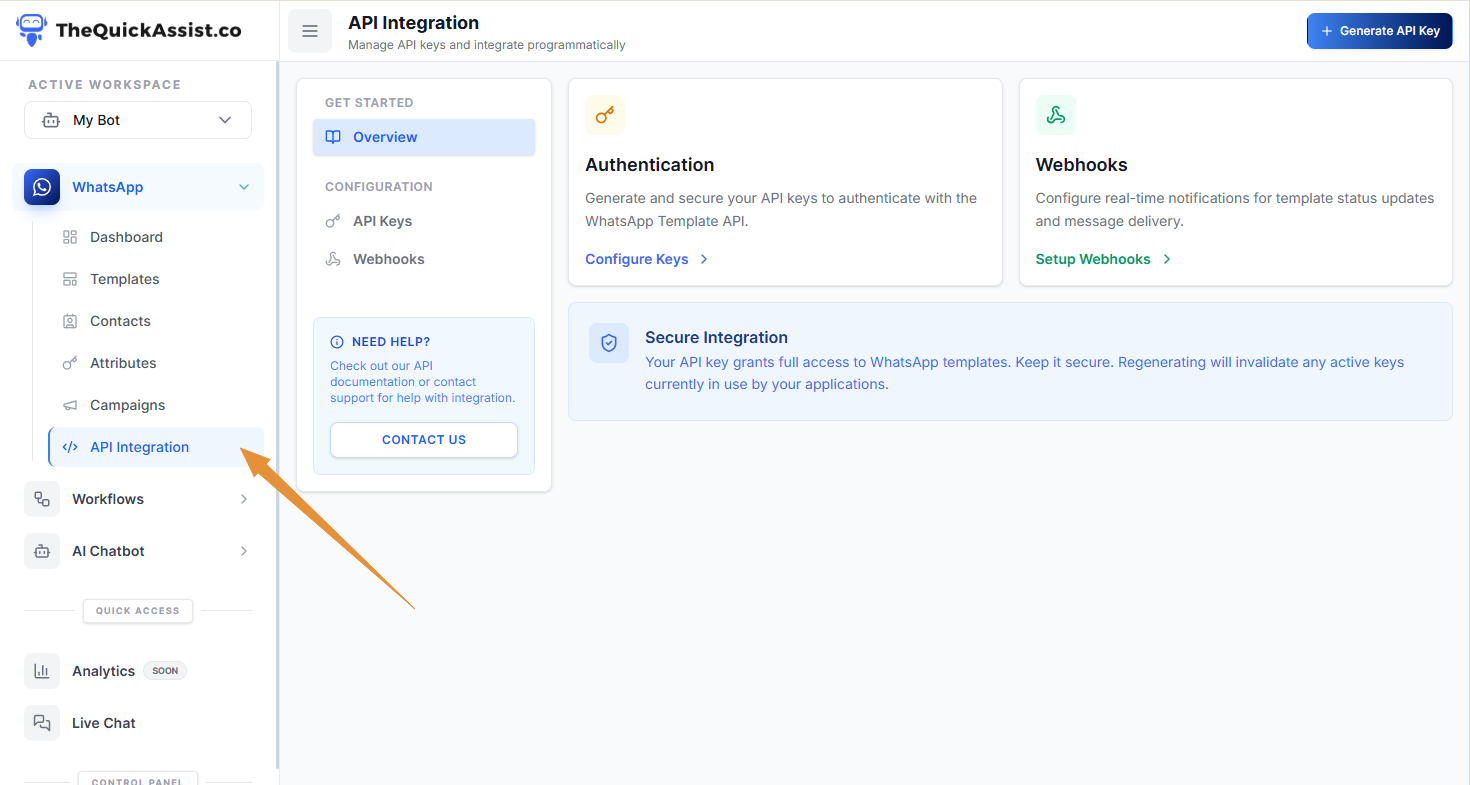
API Integration Tab

3. Generate Your API Key

Click "Generate New API Key"and give it a descriptive name. Copy your API key immediately — for security reasons, it won't be shown again.
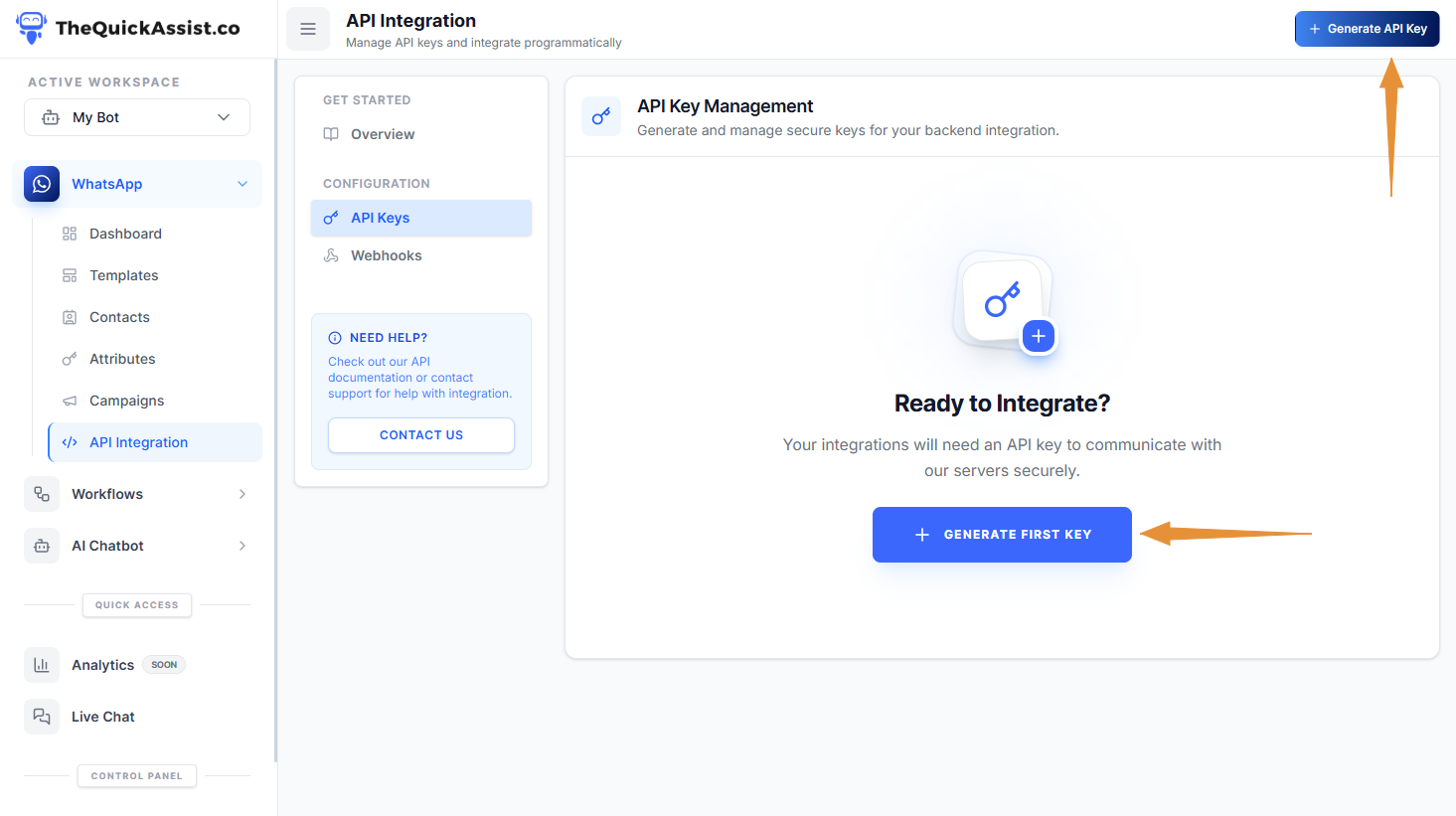

Generate API Key Screen

Security Best Practices

  • Never commit API keys to public repositories
  • Use environment variables to store keys
  • Rotate keys regularly (recommended every 90 days)
  • Use separate keys for development and production